Frequently Asked Questions
1. PRODUCTS AND PRINT AREAS
- Which products can be custom printed?
- How many sides or areas of a product can be printed?
- Can I have a different design on each print area?
- Can I use the same design on several print areas?
- Why do different products have different printing options?
2. WHAT CAN BE PRINTED
- What can I have printed on a product?
- Can I print a company logo?
- Can I add my own text and contact details?
- Can I print a photograph or colour image?
- Can I combine a logo, image and text in one design?
- Can a multicolour logo be printed?
- Can I use my own corporate colours?
3. COLOURS AND PANTONE
- Will the printed colours be the same as the colours on my monitor?
- What is Pantone and what is it used for in printing?
- Can I specify the Pantone numbers of my corporate colours?
- When can printing be done using defined Pantone shades?
- How do I provide Pantone numbers with my order?
- What are spot colours?
- Do the colour and material of the product affect the final print colour?
- How do digital and pad printing differ in terms of colour?
4. DIGITAL AND PAD PRINTING
- Which printing technology is used for the products?
- What is the difference between digital and pad printing?
- When is digital printing used?
- When can pad printing be used?
- Why can pad printing be more cost-effective from 100 pieces?
- How many colours can be printed using pad printing?
- Can corporate Pantone colours be matched with pad printing?
- What if my logo has many colours, colour gradients or a photograph?
- Do I have to choose the printing technology myself?
5. LOGOS, IMAGES AND GRAPHIC FILES
- What image format can I upload directly to the configurator?
- Is PNG or JPG sufficient for creating a design?
- What quality does the uploaded image need to be?
- Can I use a screenshot of a logo or a logo downloaded from a website?
- What if I only have a low-quality or small logo?
- What if I have professional SVG, PDF, AI or EPS files?
- Where do I upload professional print data?
- Do I have to provide professional print data?
- What is a vector logo and why is it suitable for printing?
- Do I need a transparent background for my logo?
6. CREATING A DESIGN IN THE CONFIGURATOR
- Do I need graphic design experience to create a design?
- How do I add my own text?
- Can I change the font, size and colour of the text?
- How do I add a logo or image?
- Can I change the size and position of the artwork?
- Can I combine text and an image?
- Can I copy the design to another print area?
- Can I change or remove individual elements of the design?
- Can I delete the entire configuration and start again?
- What exactly does the product preview in the configurator show?
7. ORDER, PRICE AND PRINT DATA
- What is the minimum quantity for ordering a custom-printed product?
- How is the price of a printed product calculated?
- Why does the price per piece change depending on the quantity ordered?
- Does the price depend on the number of print areas?
- Does the price of pad printing depend on the number of colours?
- Why can the price or printing technology change from 100 pieces?
- Where can I see the current price during configuration?
- Does the price change automatically when I change the quantity?
- What happens after I add the configured product to the Cart?
- Can I provide professional print data in the Cart?
- Which files can I upload in the Cart?
- Do I have to upload source print data?
- What if I only have PNG or JPG?
- What if I am unsure about the quality of the supplied artwork?
- What if I need printing that the configurator does not offer?
- How can I contact you before ordering?
8. PRODUCTION AND DELIVERY
- How long does production of custom-printed products take?
- Where can I find the estimated delivery date?
- Do the quantity or printing technology affect the production time?
- What happens if the artwork needs to be resolved before production?
- What happens in production after an order is received?
- How is the completed order delivered?
Here you will find answers to the most frequently asked questions about custom-printed products, the online configurator, graphic files, colours, printing technologies, prices and orders. The information is intended both for customers with no experience in preparing artwork and for advertising agencies and other professional buyers.
Are you an advertising agency, distributor or regular customer?
Information about wholesale prices, partner accounts, larger production runs and custom manufacturing can be found on the Wholesale Cooperation page.
Products and print areas
Which products can be custom printed?
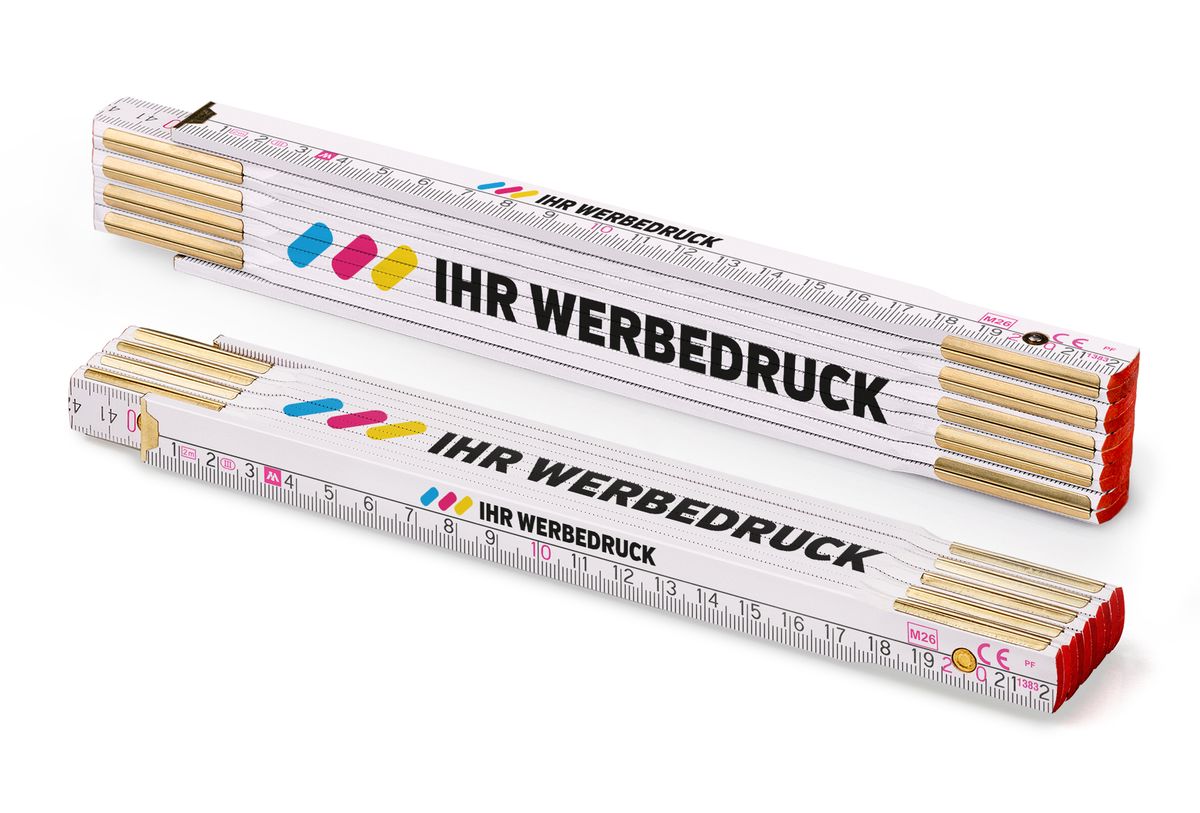
In the online configurator, you can create custom printing for all products currently available there. These include, in particular, folding rulers, wooden rulers, pencils, wooden spatulas, stirrers and other promotional items.
After you select a specific product, the configurator displays its available variants, print areas and printing options.
How many sides or areas of a product can be printed?
The number of print areas depends on the specific product. Some products have one print area, while others have two or more.
For example, most folding rulers allow printing on two side faces, while some types offer up to four separate print areas. Other products, such as pencils, may have only one area intended for printing.
You do not need to determine the number of print areas in advance. After selecting a product, the configurator automatically displays all areas available for printing on that product.
Can I have a different design on each print area?
Yes. If a product has several print areas, you can create different print content for each area.
For example, one side can carry the company logo, another the contact details, and another area different text or graphics. Each available print area can be designed separately.
Can I use the same design on several print areas?
Yes. If you want to use the same content on several print areas, you do not need to recreate the entire design.
The configurator allows you to copy an existing design to another available print area. The copied design can then be adjusted as needed.
Why do different products have different printing options?
Printing options depend on the shape, dimensions, construction and material of the specific product. Not only the size of the print area, but also the number and position of print areas may differ.
The configurator therefore uses individually defined print areas for each product and displays only the printing options available for the selected product.
2. What can be printed
What can I have printed on a product?
You can place a company logo, your own text, contact details, an image, a photograph or other graphics on the product. The individual elements can also be combined within one design.
The available printing options depend on the selected product, the size of its print area and the printing technology used.
Can I print a company logo?
Yes. A company logo is one of the most common types of graphics used for promotional printing.
To create a design in the configurator, upload the logo in PNG or JPG/JPEG format. If you also have professional source files such as SVG, PDF, AI or EPS, you can subsequently attach them to the order in the Cart.
Uploading them is not mandatory.
Details about suitable files, image quality and professional print data can be found in the section Uploading artwork for custom printing.
Can I add my own text and contact details?
Yes. You can create your own text directly in the configurator without preparing a graphic file.
You can add, for example, a company name, a person’s name, telephone number, email address, website, slogan or another short message. Depending on the functions available in the configurator, you can adjust the font, size, colour and position of the text on the print area.
Can I print a photograph or colour image?
Yes, provided digital printing is suitable for the selected product and design. It can reproduce photographs, multicolour images, colour gradients and graphics containing a larger number of colours.
To create the design, you can upload a photograph or image in PNG or JPG/JPEG format. The quality of the result also depends on the quality and resolution of the original image and the size at which it is to be printed.
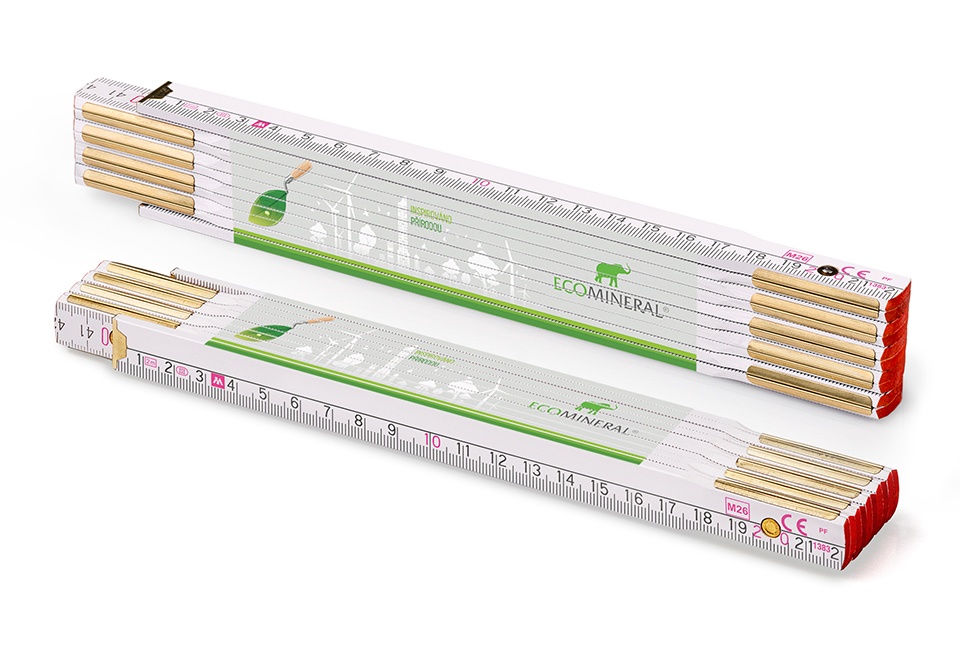
Can I combine a logo, image and text in one design?
Yes. You can combine several graphic and text elements on a single print area.
For example, you can add a company logo, a website address or telephone number, and another image or graphic element. The individual elements can be positioned and resized separately within the available print area.
Can a multicolour logo be printed?
Yes. Multicolour logos can be printed.
The appropriate technology depends mainly on the number of colours, the nature of the artwork and the quantity ordered. Digital printing is also suitable for graphics with many colours, colour gradients or other more complex elements.
For larger runs and logos with a smaller number of precisely defined colours, pad printing with spot colours may be suitable. With this technology, each spot colour is printed separately.
If precise matching of corporate colours is required, for example the colours of a company logo, pad printing with spot colours must be selected. The individual printing inks are prepared according to specific shades from the Pantone (PMS) colour system.
The differences between the two technologies are explained in detail below in the Digital and pad printing section of the FAQ.
Can I use my own corporate colours?
Yes. If your corporate identity uses precisely defined colours, their specifications can be used when preparing the print. If the closest possible match to corporate colours is required, for example the colours of a company logo, pad printing with spot colours must be selected. The individual printing inks are prepared according to specific shades from the Pantone (PMS) colour system.
The colour preview on a monitor is not an exact reference for the final print. This topic is explained in more detail in the following FAQ section, Colours and Pantone.
3. Colours and the Pantone colour system
Will the printed colours be the same as the colours on my monitor?
Not always. The preview in the configurator is intended primarily for checking the content, size and placement of the design on the product. Colours displayed on a monitor or screen are not an exact colour reference for the final print.
Different monitors display colours differently, and the final appearance of the print can also be affected by the printing technology, material, surface and base colour of the product.
If precise matching of corporate colours is required, for example the colours of a company logo, pad printing with spot colours must be selected. The individual printing inks are prepared according to specific shades from the Pantone (PMS) colour system.
What is Pantone and what is it used for in printing?
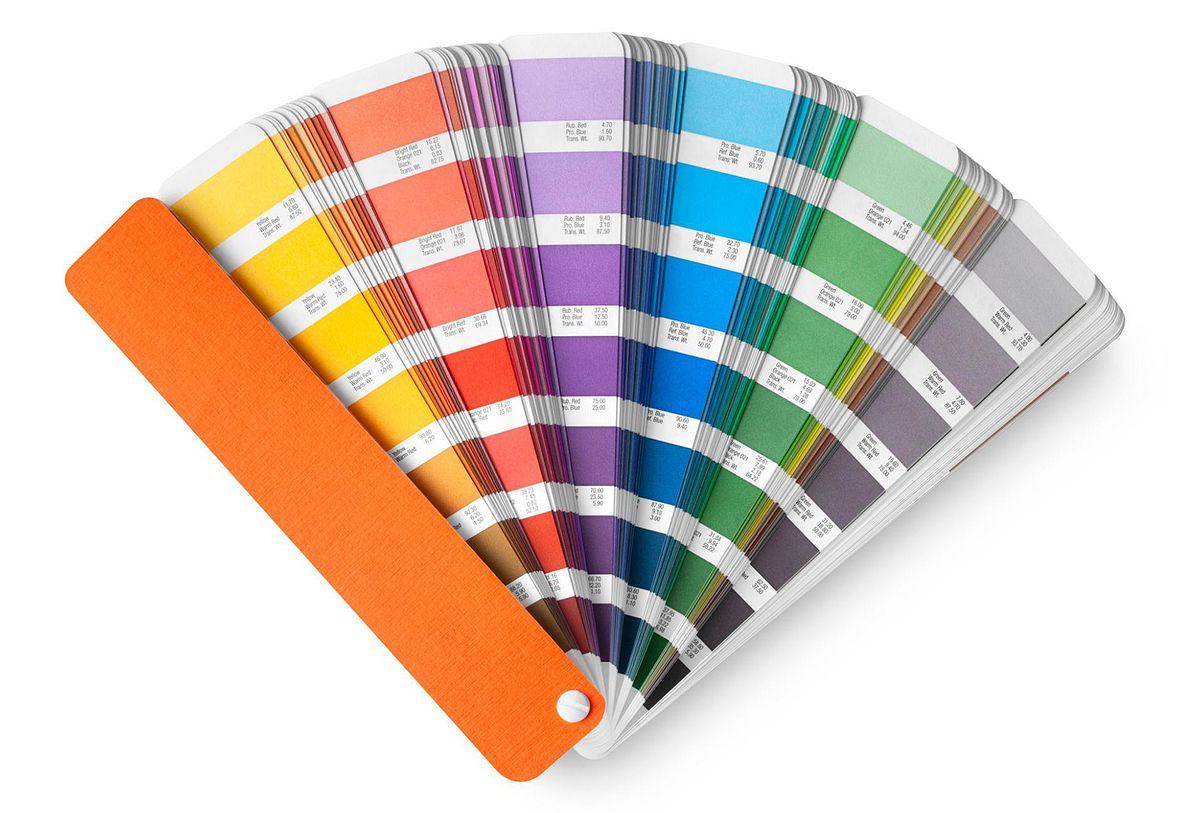
Pantone (PMS – Pantone Matching System) is a standardised colour system in which individual shades are identified by a specific code. This means a colour does not have to be specified according to how it appears on a monitor.
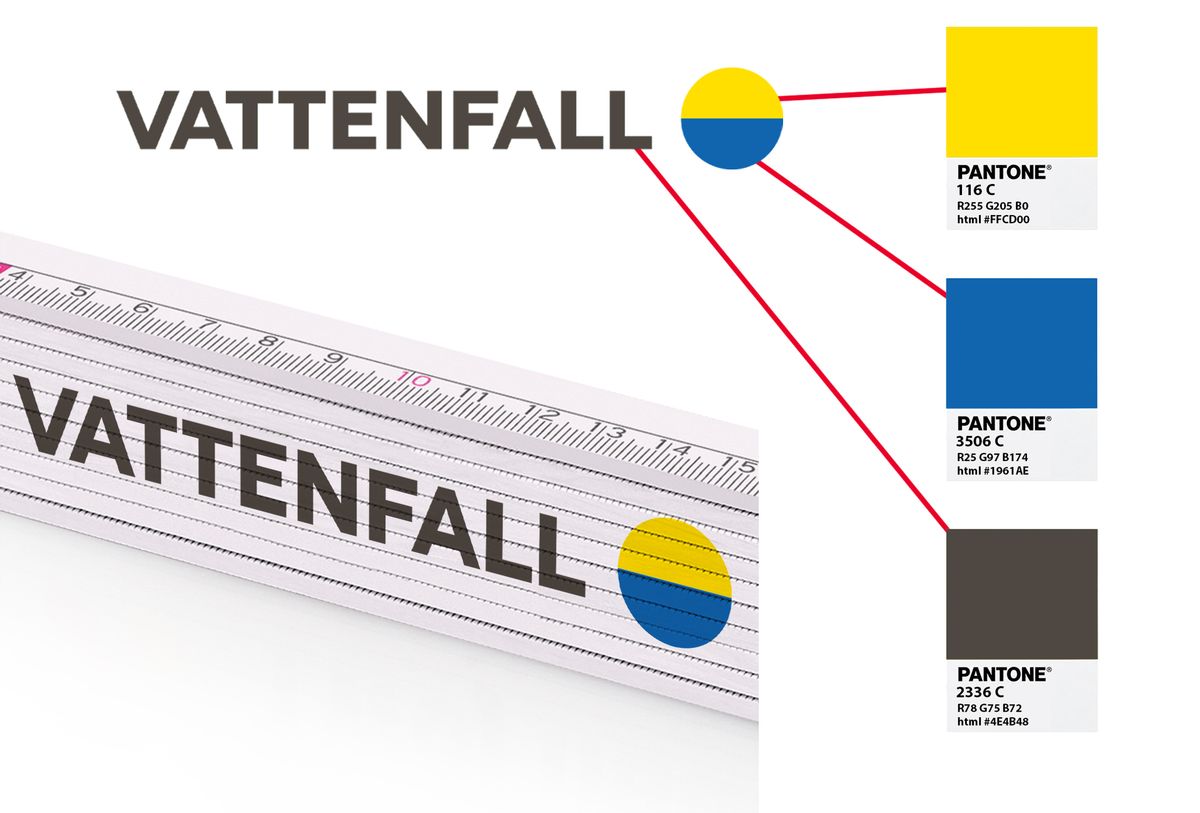
In promotional printing, Pantone is used mainly for precisely defined corporate colours. For example, if a company logo specifies three Pantone shades, three spot printing inks can be prepared for pad printing based on those specifications.
Can I specify the Pantone numbers of my corporate colours?
Yes. If the colours of your logo or corporate identity are defined using Pantone (PMS) codes, specify them with your order.
For example, a three-colour logo may specify three particular Pantone shades. These can be used to prepare the individual spot inks for pad printing.
Pantone references for corporate colours are usually stated in the company’s brand or corporate design manual. If you do not have it, the graphic designer or advertising agency that created the corporate identity may know them.
When can printing be done using defined Pantone shades?
We print according to defined Pantone shades when using pad printing with spot colours.
This technology is particularly suitable for company logos and graphics with a smaller number of colours where specific corporate shades need to be matched.
For selected products, pad printing can be chosen from 100 pieces. Its suitability also depends on the number of colours in the artwork and the specific product.
How do I provide Pantone numbers with my order?
Specify the required Pantone shades with the order together with the artwork. For a multicolour logo, it must be clear which part of the artwork is to be printed in which Pantone shade.
If you have professionally prepared print data, you can upload it in the “Cart” section after adding the configured product. Pantone references may also be stated directly in the supplied artwork.
What are spot colours?
A spot colour is an individually prepared ink in a specific shade that is printed separately in pad printing.
For example, for a logo consisting of three colours, three corresponding printing inks are prepared and each part of the artwork is printed in its own colour. If specific corporate shades are required, the inks are prepared according to their Pantone references.
Do the colour and material of the product affect the final print colour?
Yes. The final appearance of the print can be affected by the base colour of the product, the material used and its surface finish.
The same design can therefore look different on a white, coloured or natural wooden surface. This is particularly important with digital printing and when comparing the result with the on-screen preview.
The preview in the configurator is therefore intended mainly for assessing the design and its placement, not as a physical colour sample.
How do digital and pad printing differ in terms of colour?
Digital printing is suitable for photographs, colour gradients, multicolour images and graphics containing a large number of shades. The colours are created during the printing process by combining printing inks.
Pad printing works with individual spot colours. Each colour in the design is printed separately and can be prepared according to a specific Pantone shade. We therefore use this technology when precise matching of defined corporate colours is required.
Pad printing is particularly suitable for graphics with a smaller number of colours and, for selected products, can be chosen from 100 pieces. Digital printing is more suitable for photographs, colour gradients or graphics with many colours.
4. Digital and pad printing
Which printing technology is used for the products?
Depending on the specific product, artwork and quantity ordered, we mainly use digital printing or pad printing for promotional printing.
Digital printing is particularly suitable for smaller quantities, photographs, colour images, gradients and graphics with a larger number of colours.
Pad printing is particularly suitable for larger runs and simpler graphics with fewer colours, such as a company logo consisting of one, two or three colours. It also allows printing with spot colours according to defined Pantone shades.
For selected products, pad printing can be chosen from 100 pieces.
What is the difference between digital and pad printing?
The main difference lies in the way the artwork is transferred to the product.
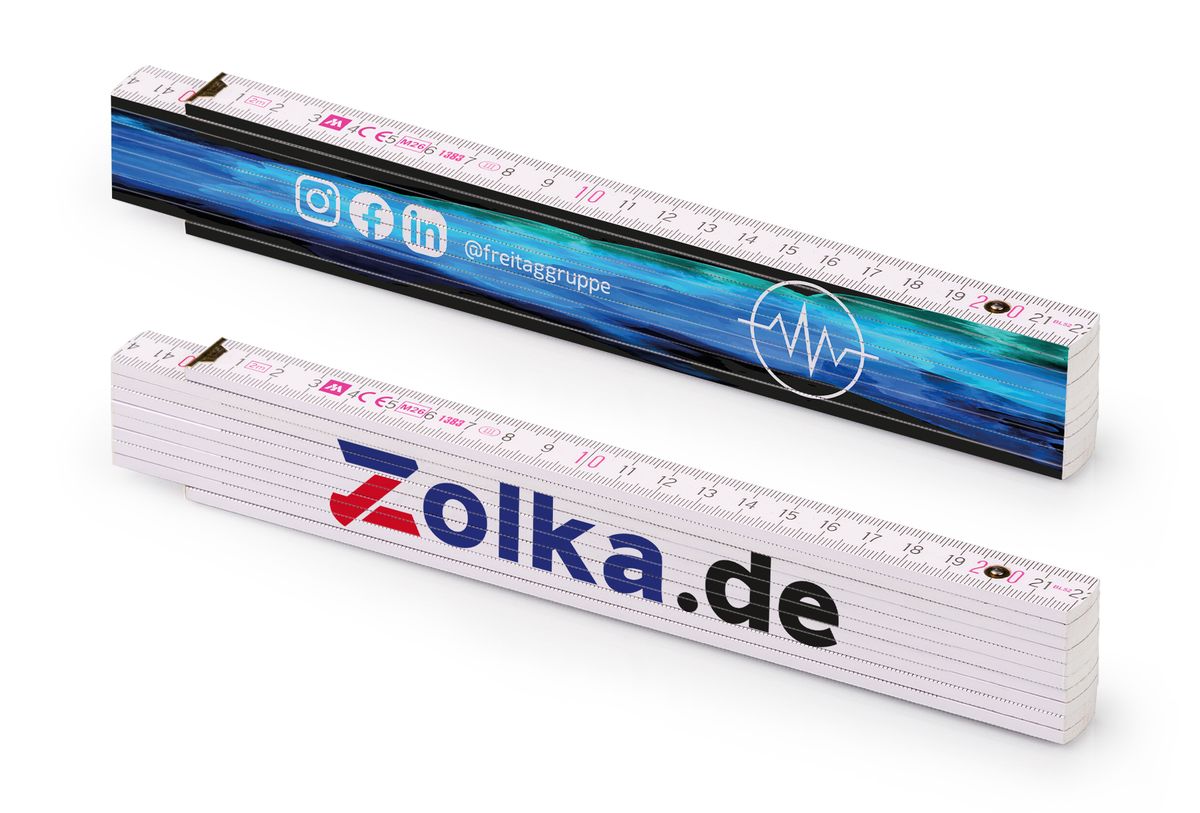
With digital printing, the colour design is printed directly from digital data. There is no need to prepare a separate printing plate for each colour. This makes the technology suitable for smaller runs, multicolour designs, photographs and colour gradients.
With pad printing, the individual spot colours are printed separately. Each colour requires separate print preparation. For larger quantities, this initial setup cost is spread over more pieces.
Pad printing is therefore particularly suitable for larger runs with fewer colours, while digital printing is more suitable for smaller quantities or graphically more complex colour designs.
When is digital printing used?
Digital printing is particularly suitable when:
you are ordering a smaller number of pieces,
the artwork contains a larger number of colours,
you want to print a photograph or colour image,
the design contains colour gradients or fine colour details,
printing with precisely defined Pantone spot colours is not required.
The advantage of digital printing is that a separate printing plate does not need to be prepared for each colour. It is therefore practical and economical, especially for smaller runs and full-colour graphics.
When can pad printing be used?
For selected products, pad printing can be chosen from 100 pieces.
It is particularly suitable for:
company logos with a small number of colours,
simple graphics and text,
larger production runs,
orders requiring spot printing inks,
printing where corporate colours are to be prepared according to specific Pantone shades.
A typical example is an order for several hundred products with a one-colour, two-colour or three-colour company logo.
For photographs, colour gradients and graphics with many colours, digital printing is more suitable.
Why can pad printing be more cost-effective from 100 pieces?
Pad printing requires technical preparation for the individual printing colours before production begins. This preparation represents an initial cost regardless of whether 100 or, for example, 1,000 pieces are subsequently printed.
As the quantity increases, this initial cost is spread over more products. Pad printing can therefore be less expensive per piece than digital printing for larger runs.
Cost-effectiveness also depends on the number of colours in the design. The more spot colours used in pad printing, the more separate printing operations and preparation are required.
Pad printing is therefore particularly cost-effective for larger runs with one or only a few colours.
How many colours can be printed using pad printing?
Pad printing can produce multicolour prints, but each spot colour is printed separately.
For example, a three-colour company logo requires three separate printing inks. As the number of colours increases, the complexity and cost of preparation and printing also increase.
For this reason, pad printing is more suitable for graphics with fewer colours, typically one-colour, two-colour or three-colour company logos.
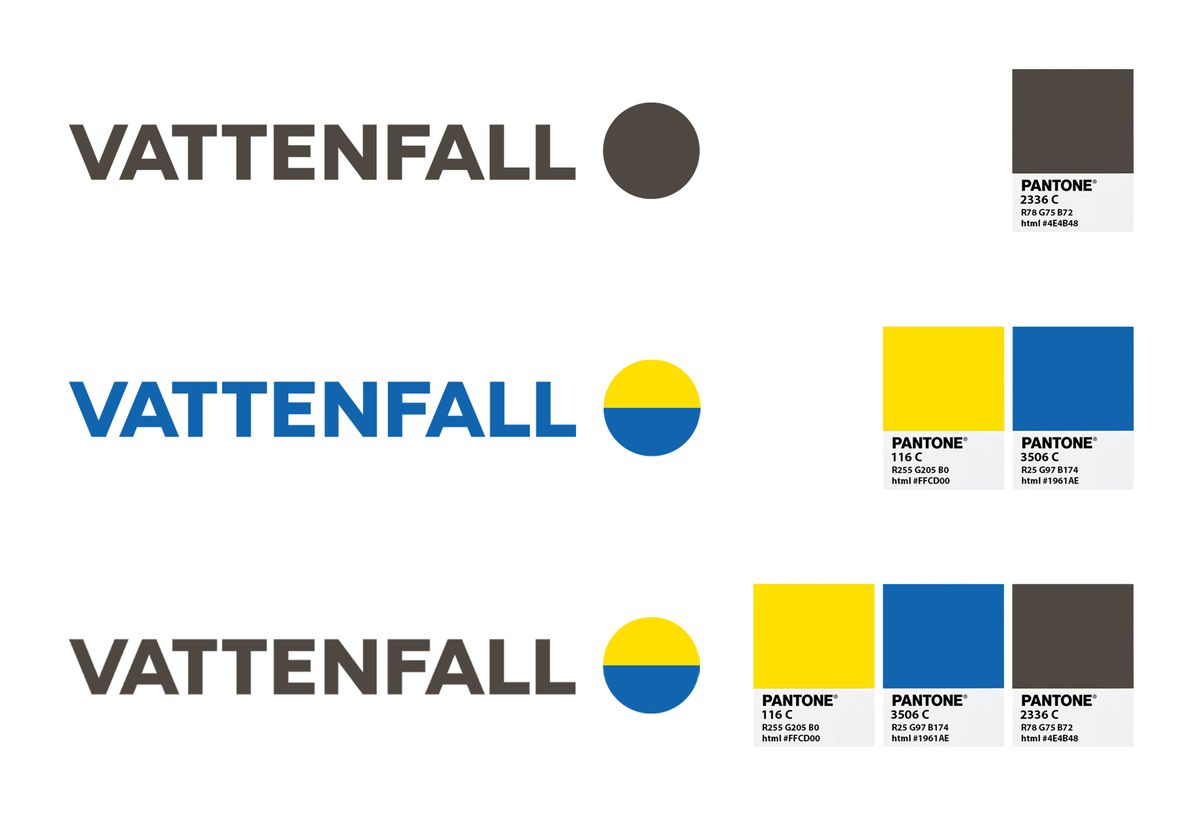
Can corporate Pantone colours be matched with pad printing?
Yes. We use pad printing with spot colours specifically when precise matching of defined corporate colours is required.
The individual printing inks are prepared according to specific shades from the Pantone (PMS) colour system.
For example, if a company logo has three defined Pantone colours, three corresponding spot colours can be prepared for pad printing.
A more detailed explanation can be found above in the Colours and Pantone section.
What if my logo has many colours, colour gradients or a photograph?
In that case, digital printing is generally more suitable.
Digital technology makes it possible to print full-colour graphics, photographs, a large number of shades and smooth colour gradients without having to prepare and print each colour separately.
Pad printing, by contrast, is more suitable for simpler graphics with a limited number of spot colours.
A simple rule is:
photographs, gradients and many colours → digital printing
simple logo, a few colours and larger runs → pad printing
Do I have to choose the printing technology myself?
No. You do not need to know the technical differences between the individual printing technologies to create a design.
If the configurator offers several printing options for the selected product and quantity, you can choose the available option according to your requirements for artwork, colours and price.
As a general rule:
smaller runs, photographs, gradients or many colours → digital printing,
larger runs, fewer colours → pad printing,
requirement for precisely defined corporate Pantone colours → pad printing with spot colours.
If you are unsure which technology is suitable for your artwork, contact us at [email protected] or by telephone at +420 606 766 253.
5. Logos, images and graphic files
What image format can I upload directly to the configurator?
When creating a design, you can upload an image in PNG or JPG/JPEG format directly to the online configurator.
This file is used to create the design, set the size of the artwork and position it on the product’s print area.
If you have professional source files in another format, such as SVG, PDF, AI or EPS, you can upload them later in the Cart section. You do not need to upload them to the configurator itself.
Is PNG or JPG sufficient for creating a design?
Yes. PNG or JPG/JPEG is sufficient for creating a design in the configurator.
If you have a choice, PNG with a transparent background is usually more suitable for a company logo. JPG can normally be used for a photograph or image where transparency is not required.
Professional print data is not required to create a design or complete an order.
What quality does the uploaded image need to be?
If possible, use the original image in the highest quality and resolution available to you.
The required quality also depends on the size of the final print. The same image may be sufficient for a small logo, but when enlarged significantly it may become visibly blurred or pixelated.
Do not artificially enlarge a small image before uploading it. Increasing the file dimensions does not improve the actual quality of the artwork.
If you also have the original professional artwork in addition to PNG or JPG, you can attach it later in the Cart.
Can I use a screenshot of a logo or a logo downloaded from a website?
If you have another option, do not use a screenshot or a small logo downloaded from a website.
Such an image may have a low resolution, and when enlarged for printing it may show blurred edges or visible pixels.
Preferably use:
the original high-resolution PNG or JPG,
the original file you received from the graphic designer,
or professional SVG, PDF, AI or EPS source files, which can subsequently be attached in the Cart.
What if I only have a low-quality or small logo?
If you do not have another file, you can use the available PNG or JPG to create the design and determine the position of the logo on the product.
However, we first recommend trying to locate the original artwork. It may be held by the graphic designer, advertising agency, printer or employee responsible for the company’s graphics.
Ask specifically for the original logo in SVG, PDF, AI or EPS format.
If you are unsure whether the available file can be used for printing, contact us at [email protected] or by telephone at +420 606 766 253.
What if I have professional SVG, PDF, AI or EPS files?
If you have professional artwork, keep it and attach it to the order later.
When creating the design in the configurator, use a PNG or JPG version of the same artwork. After completing the design, add the product to the Cart, where you can also upload the original SVG, PDF, AI or EPS file.
The professional file then serves as a higher-quality source for preparing the print.
Where do I upload professional print data?
Professional artwork is not uploaded while creating the design itself.
The procedure is:
1. Create the design in the configurator using PNG or JPG.
2. Add the configured product to the Cart.
3. In the Cart, you can attach professional artwork in SVG, PDF, AI or EPS format to the order.
This keeps the design created in the configurator linked to the order while also providing us with the original artwork for print preparation.
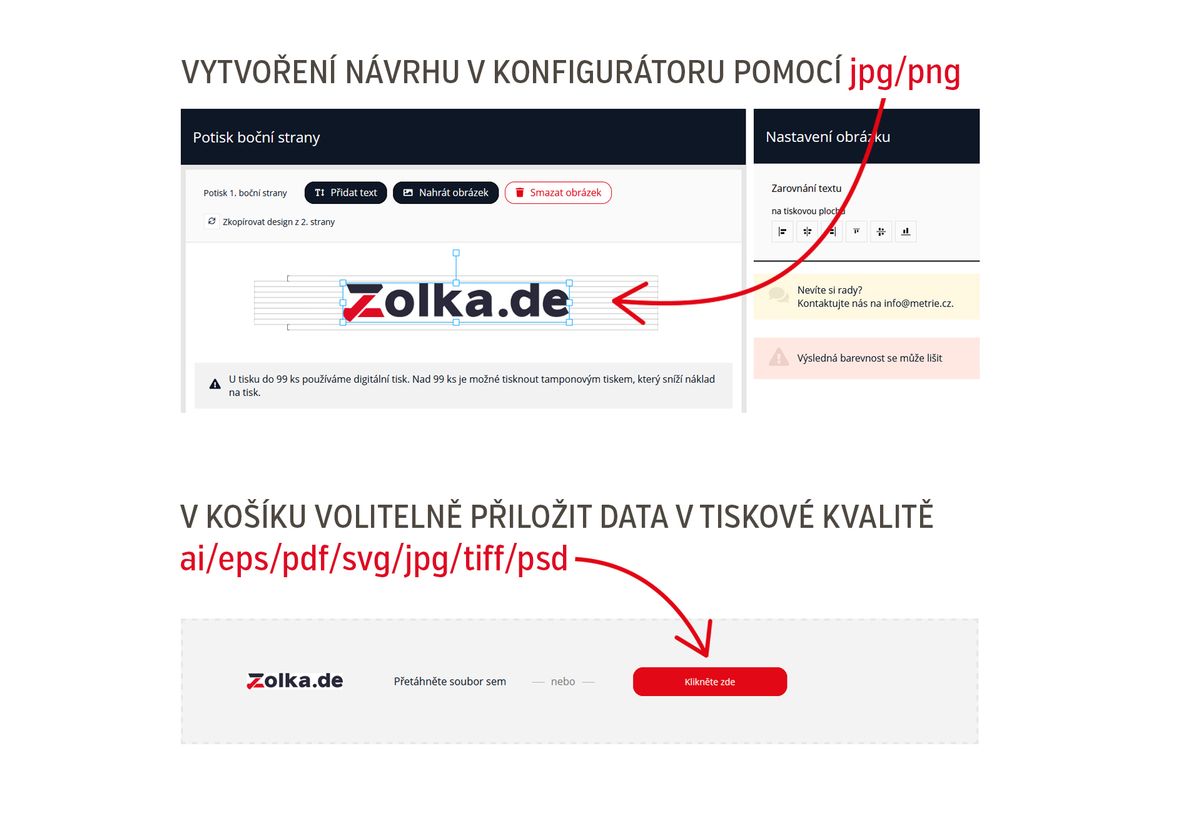
Do I have to provide professional print data?
No. Uploading SVG, PDF, AI or EPS files is not mandatory.
If you do not have them, you can complete the order with the design created using PNG or JPG.
If you have professional files, it is advisable to attach them because they can provide a higher-quality source for preparing the final print.
What is a vector logo and why is it suitable for printing?
Vector graphics are created using mathematically defined curves and shapes rather than a fixed number of pixels. They can therefore be enlarged or reduced without losing sharpness.
Vector artwork is therefore particularly suitable for company logos, wordmarks, symbols and simple graphics that need to remain sharp at different print sizes.
Vector graphics may be contained in SVG, AI, EPS or PDF files, for example. However, the file extension alone does not guarantee vector graphics. For example, a JPG embedded in a PDF remains a raster image.
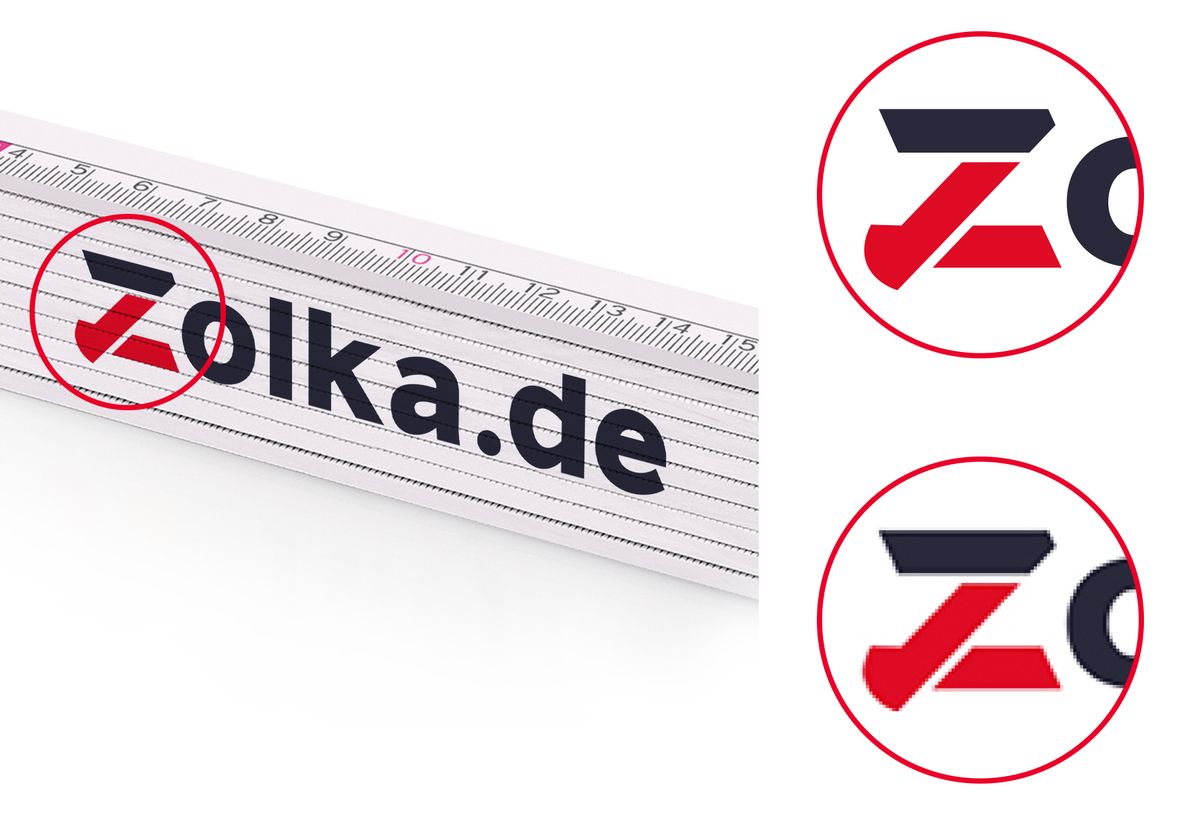
Do I need a transparent background for my logo?
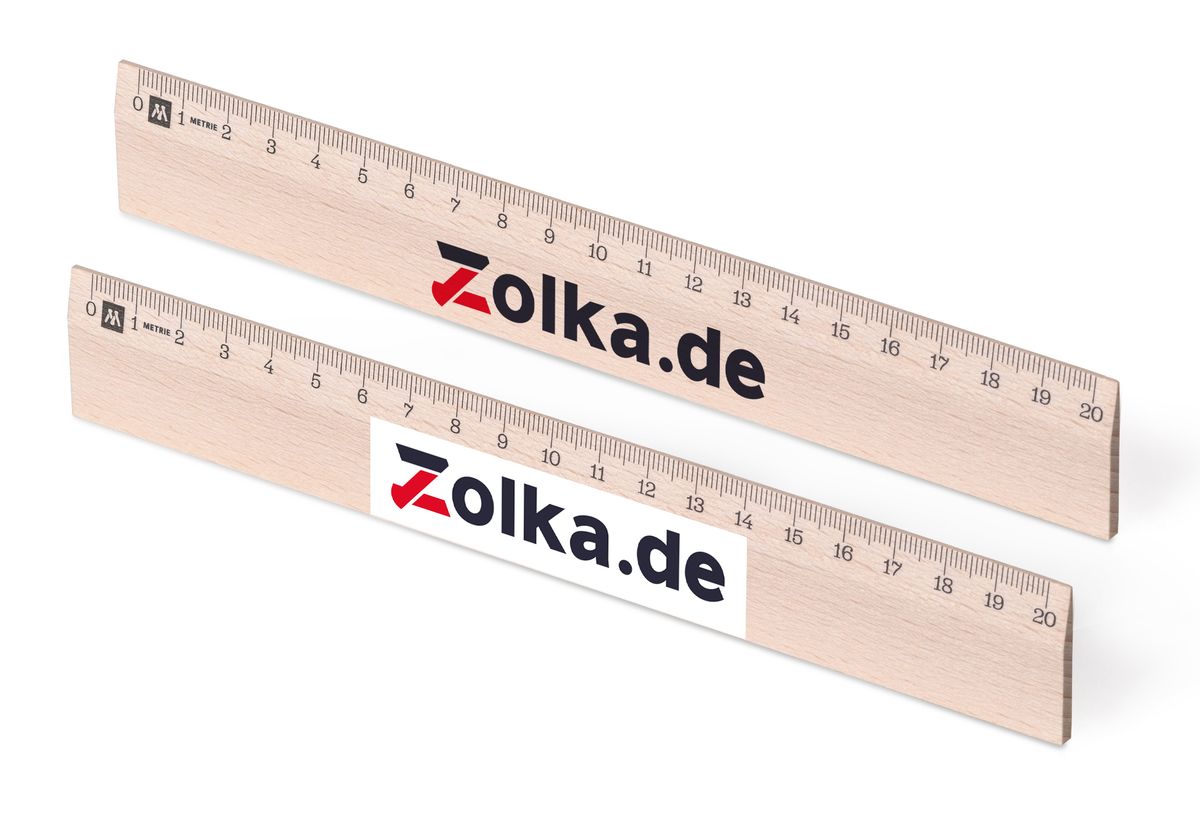
If the colour or surface of the product itself is to remain visible around the logo, it is advisable to use a PNG with a transparent background.
For example, a logo saved as JPG may contain a white rectangular background because JPG does not support transparency. PNG, by contrast, supports transparent areas.
A transparent background is therefore particularly useful when placing a logo on coloured products or products with a visible natural wood surface.
6. Creating a design in the configurator
Do I need graphic design experience to create a design?
No. The configurator is also designed for customers who have no experience with graphic design software or preparing print data.
You create the design directly on the selected product. You can add your own logo or image, add text, and then position and adjust the individual elements within the available print area.
Professional artwork is not required to create a design.
How do I add my own text?
In the configurator, select the Add text function and enter the required content.
In this way you can create, for example:
company name,
name,
telephone number,
email,
website address,
slogan or another short message.
The text appears directly in the design on the product, and you can then adjust its appearance and position.
Can I change the font, size and colour of the text?
Yes. For text created directly in the configurator, you can choose the font, size and colour from the available options and adjust its position on the print area.
This means that simple text printing does not need to be prepared in advance in a graphics program.
However, if you need to use a specific corporate font that is not offered by the configurator, it is better to prepare the text as part of your own artwork.
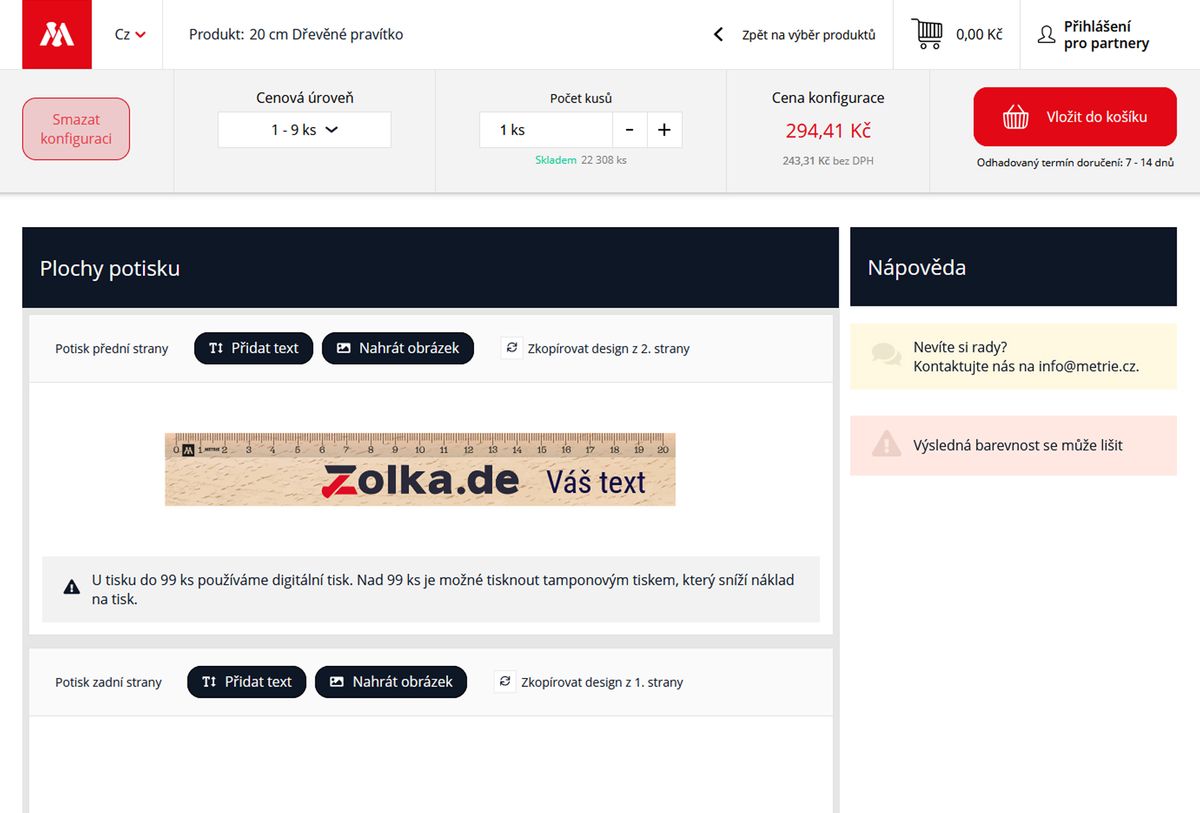
How do I add a logo or image?
You add a logo or image to the design using the function for uploading your own artwork.
A PNG or JPG/JPEG file can be uploaded directly to the configurator. Once uploaded, the artwork appears on the print area of the selected product and you can further adjust its size and position.
If you have professional SVG, PDF, AI or EPS artwork, use a PNG or JPG version to create the design. You can then attach the original professional files in the Cart.
More detailed information about suitable formats and file quality can be found on the page Uploading artwork for custom printing.
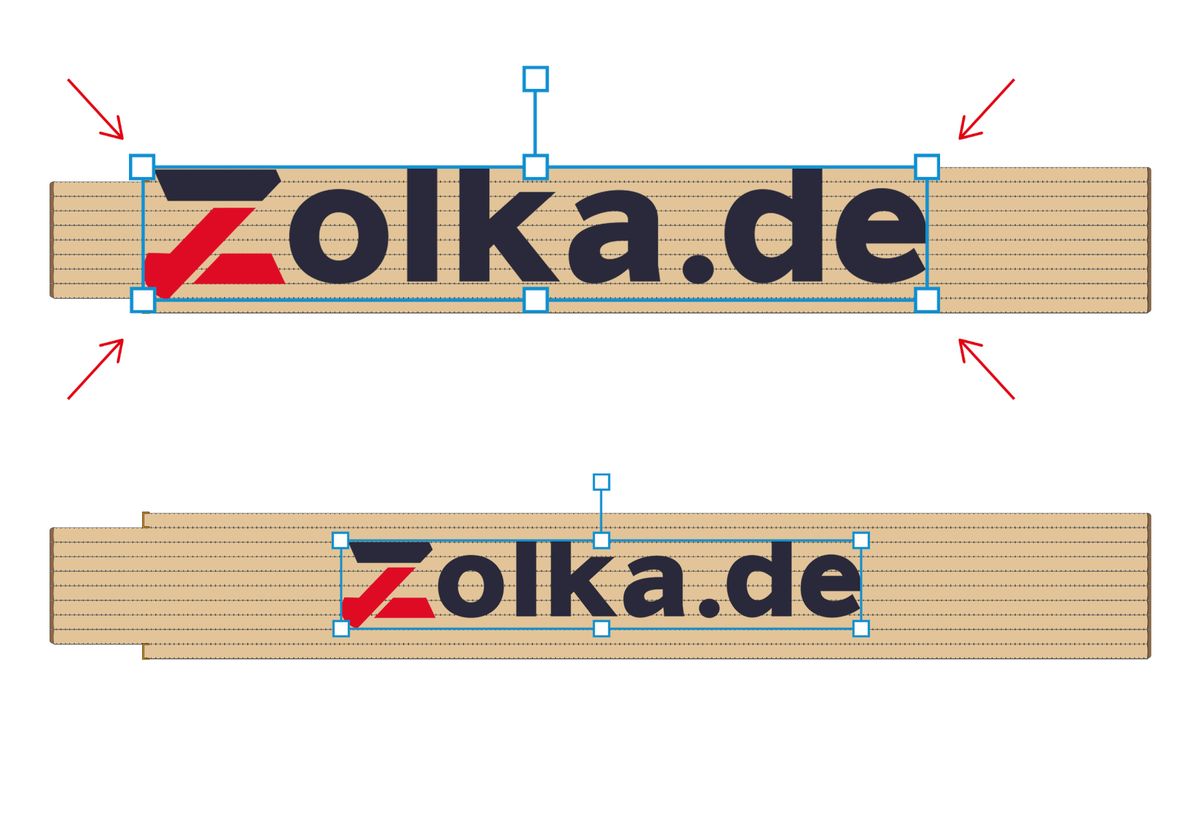
Can I change the size and position of the artwork?
Yes. You can enlarge, reduce and move an uploaded logo, image or other graphic element within the available print area.
The print area defines the space in which the artwork can be positioned on the specific product.
As you make adjustments, you can continuously see its position and size directly in the product preview.
Can I combine text and an image?
Yes. You can combine your own text, logo and other images on one print area.
For example, you can upload a company logo and add a website address, telephone number or other text next to or below it.
The individual design elements can be edited separately.
Can I copy the design to another print area?
Yes, if the selected product has more than one print area. A finished design can be copied to another available print area, so you do not have to create it again.
You can then further edit the copied design on the new area.
This function is useful, for example, when you want to use the same logo or the same complete design on both sides of the product.
Can I change or remove individual elements of the design?
Yes. While creating the design, you can edit or remove individual elements.
You can change the text, its appearance and position, for example, or adjust the size and position of uploaded artwork. If you do not want to use an element in the design, you can remove it.
Can I delete the entire configuration and start again?
Yes. If you are not satisfied with the design you have created, you can remove the changes and create the design again.
You therefore do not have to continue with the original version if, during configuration, you decide that you want to handle the artwork or its layout differently.
What exactly does the product preview in the configurator show?
The preview shows the selected product and the arrangement of the individual elements of your design on the available print areas. It is intended primarily for checking what will be placed on the product, the approximate size of the individual elements and their relative layout.
However, the preview is not a physical print sample. In particular, colours displayed on a monitor cannot be regarded as an exact reference for the final print colours.
If you require precise matching of corporate colours, pad printing with spot colours according to defined Pantone shades must be used, provided this technology is available for the product and quantity concerned.
More detailed information on this topic can be found in the section Colours and Pantone.
7. Order, price and print data
What is the minimum quantity for ordering a custom-printed product?
As a rule, we print from just 1 piece. Only selected products have a minimum quantity due to the technology used. The configurator always displays the current minimum quantity for the selected product.
What makes up the price of a printed product?
The price is calculated according to the specific order configuration. It is influenced mainly by:
the selected product and its variant,
the quantity ordered,
the number of print areas,
the selected printing technology,
for pad printing, also the number of spot colours,
the cost of print preparation and printing plates for pad printing
When the configuration changes, the price corresponding to the currently selected parameters is displayed.
Why does the price per piece change depending on the quantity ordered?
As the quantity increases, the cost of preparing the order is spread over a larger number of products. The price per piece may therefore be lower for a larger order.
For larger quantities, a different printing technology may also become more economical. For selected products, for example, pad printing is available from 100 pieces.
Does the price depend on the number of print areas?
Yes. If a product has several print areas, the printing price also depends on how many of them you want to print.
For example, a product printed on only one side may have a different price from the same product printed on two or more separate areas.
The configurator takes the print areas selected in the specific design into account when calculating the price.
Does the price of pad printing depend on the number of colours?
Yes. In pad printing, each spot colour is printed separately and separate print preparation is required for the individual colours.
A one-colour logo therefore requires fewer printing operations than, for example, a three-colour logo.
For this reason, pad printing is economically suitable mainly for larger runs and graphics with a smaller number of spot colours.
Why can the price or printing technology change from 100 pieces?
For selected products, pad printing can be used from 100 pieces. It requires initial preparation for the individual printing colours, but for larger runs these costs are spread over more pieces.
For example, for several hundred products with a simple one-colour, two-colour or three-colour logo, pad printing can therefore be more cost-effective than digital printing.
However, if the artwork contains a photograph, colour gradients or many colours, digital printing may be more suitable even for higher quantities.
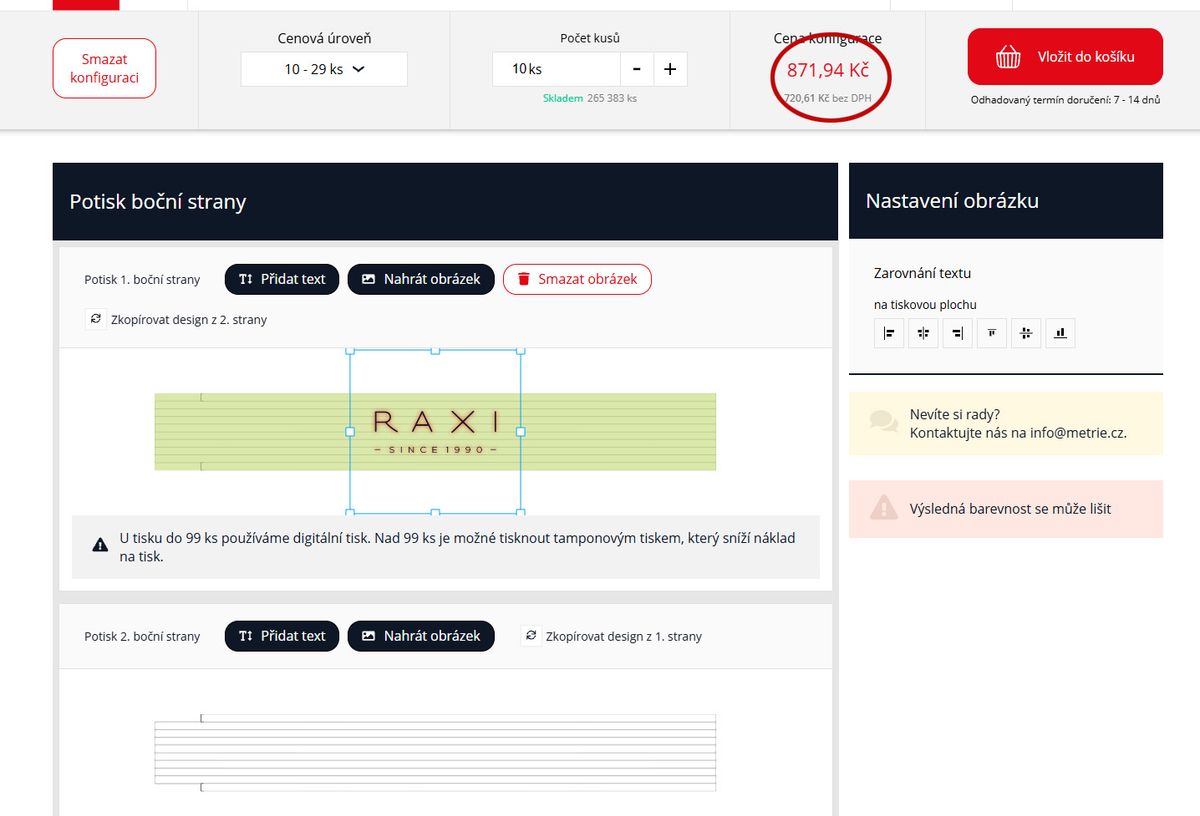
Where can I see the current price during configuration?
You can see the current price directly in the configurator while creating the order.
The price corresponds to the currently selected product, quantity and printing settings. Before adding the configured product to the Cart, you therefore see the price corresponding to the configuration you have created.
Does the price change automatically when I change the quantity?
Yes. After you change the quantity ordered, the configurator recalculates the price according to the newly selected number of pieces.
For quantities at which another printing technology or pricing option becomes available, the options corresponding to that configuration are displayed.
What happens after I add the configured product to the Cart?
After completing the design, you add the configured product to the Cart. The created design remains linked to that order item.
In the Cart, you can review the order and, if you have professional source print data, you can also attach it there.
You then continue with the standard checkout process.
Can I provide professional print data in the Cart?
Yes. If you have professional source files from a graphic designer or advertising agency, you can upload them in the Cart after completing the product configuration.
To create the design itself in the configurator, you use PNG or JPG/JPEG. The professional file attached in the Cart can then serve as a higher-quality source for print preparation.
Which files can I upload in the Cart?
In the Cart, you can attach professional artwork to the order in the following formats:
SVG, PDF, AI nebo EPS.
If you have the original vector logo or print data prepared by a graphic designer, preferably use that original file.
More detailed information about artwork can be found on the page Uploading artwork for custom printing.
Do I have to upload source print data?
No. Uploading professional source data is not mandatory.
If you only have the PNG or JPG/JPEG used to create the design in the configurator, you can complete the order without an additional file.
However, if you have professional files, we recommend attaching them because they can provide a higher-quality basis for preparing the final print.
What if I only have PNG or JPG?
This is not an obstacle to placing an order. PNG or JPG/JPEG is sufficient for creating the design in the configurator, and professional print data is not mandatory.
If possible, use the original file in the highest quality available to you.
If you only have a small logo, screenshot or other low-quality image, it is advisable to first try to locate a higher-quality original file.
What if I am unsure about the quality of the supplied artwork?
If you are unsure whether your logo or image is of sufficient quality for printing, you do not need to assess the technical parameters of the file yourself.
Use the best file you have available for the design. If you also have a professional SVG, PDF, AI or EPS file, attach it in the Cart.
If in doubt, you can contact us before ordering at [email protected] or by telephone on +420 606 766 253.
What if I need printing that the configurator does not offer?
The online configurator displays the standard printing options available for a specific product.
If you need a different print area, a non-standard version, a larger run or another modification that cannot be configured in the configurator, contact us with your specific requirement. We will check whether the requested version can be manufactured.
For larger or regular B2B orders, further information is provided on the page Wholesale Cooperation.
How can I contact you before ordering?
If you need advice on configuration, artwork, printing technology or another order-related requirement, contact us:
Email: [email protected]
Telephone: +420 606 766 253
If your question concerns a specific design or graphic file, it is advisable to also state the product, required quantity and briefly describe the requested printing.
8. Production and delivery
How long does production of custom-printed products take?
Production time depends on the specific product, quantity ordered, selected printing technology and current production workload.
The estimated date is shown to the customer during the ordering process. For larger or non-standard orders, the date may be determined individually.
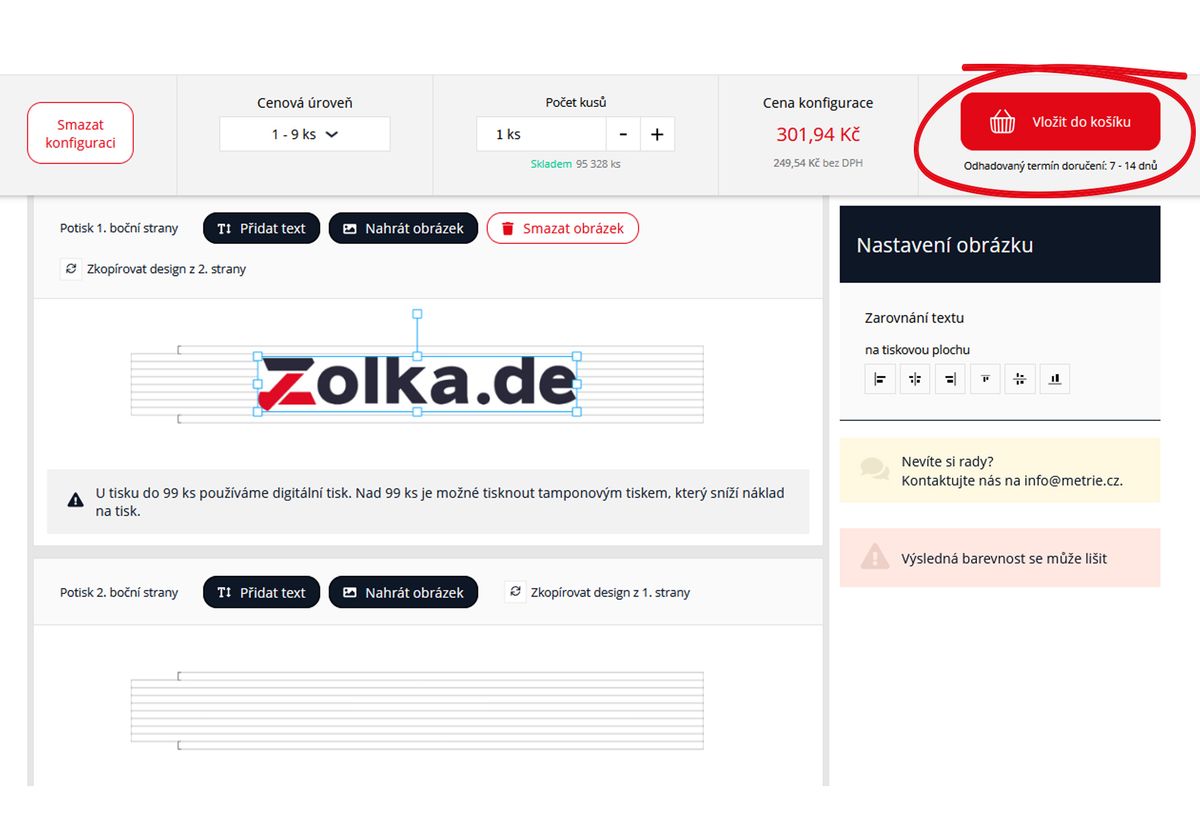
Where can I find the estimated delivery date?
The estimated delivery date is displayed directly during the ordering process, so you know it before completing the order.
The date is based on the estimated time required for order preparation, production and printing of the ordered products.
Do the quantity or printing technology affect the production time?
Yes. Production time may vary depending on the number of pieces ordered and the printing technology used.
Digital and pad printing use different production processes. With pad printing, print preparation for the individual spot colours is also required before printing itself. Larger runs also require more time for production and printing.
The specific estimated date therefore depends on the parameters of the particular order.
What happens if the artwork needs to be resolved before production?
If we find that the supplied artwork cannot be used for the selected printing or something needs to be clarified before production, we will contact you before production begins.
This may involve, for example, insufficient artwork quality, unclear Pantone references for corporate colours or another technical issue affecting print preparation.
Resolving such an issue may affect the originally estimated production date. For professional artwork, it is therefore advisable to attach the original SVG, PDF, AI or EPS file if you have it available.
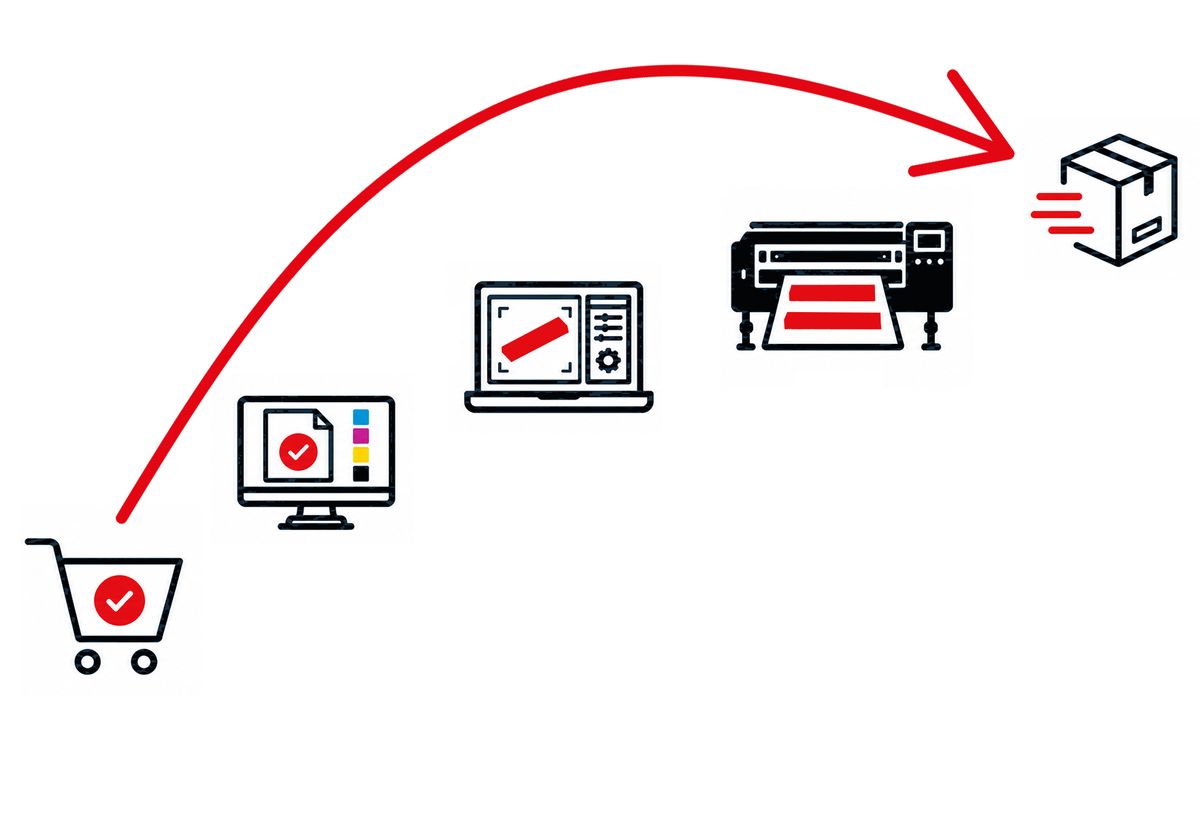
What happens in production after an order is received?
After the order is received, the configuration information and attached artwork are used as the basis for preparing the order.
The process then includes in particular:
1. Checking the order and supplied files – verifying the selected product, print areas, artwork and other printing parameters.
2. Print preparation – depending on the selected technology, data are prepared for digital printing or the required printing plates and spot colours are prepared for pad printing.
3. Printing the products – the ordered products are printed according to the prepared job.
4. Completion and dispatch – once production is complete, the order is prepared for shipment.
If any information needs to be clarified before production, we will contact you first.
How is the completed order delivered?
Available shipping methods and their prices are displayed during the ordering process according to the destination country and order parameters.
After production is completed, the shipment is handed over to the selected carrier and sent to the delivery address stated in the order.
There is therefore no need to check the specific shipping options in advance – you will see the available options when completing the order.
Payment methods

Shipping